

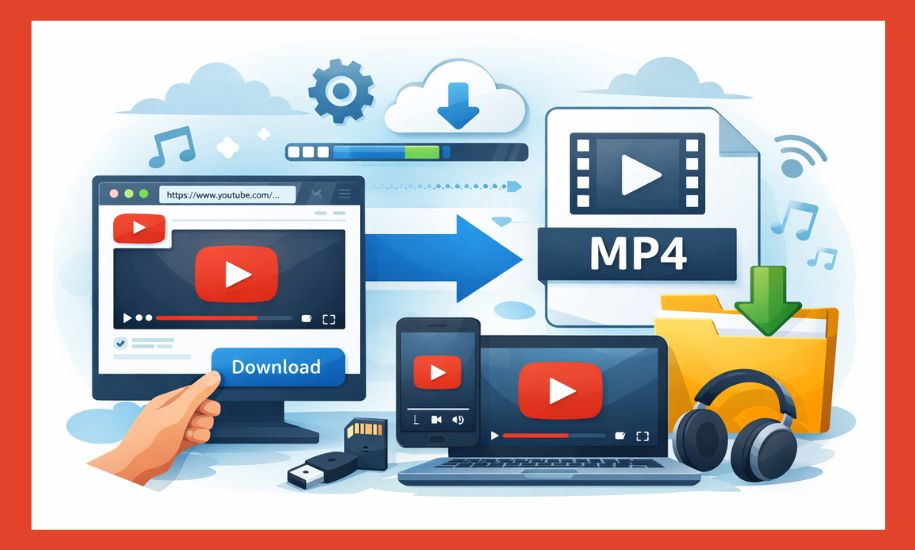
The phrase “YouTube to MP4” shows up in search results millions of times every month, which tells us something important: a lot of people are curious about saving online video content in a format they can use offline. Some want to watch videos without an internet connection, others want to archive educational material, and some simply want flexibility across devices.
Despite how common the term is, there’s still confusion around what YouTube to MP4 actually means, how it works, and what the legal and technical considerations are. Conversations online often swing between oversimplification (“it’s just a download”) and alarmism (“it’s always illegal”), neither of which really helps.
This piece breaks the topic down in a clear, neutral way — no hype, no scare tactics, no brand promotion. The goal is to explain the concept as if you were talking it through with a friend who just wants to understand how things work and what to be careful about.
What “YouTube to MP4” Means in Plain Language
At its core, YouTube to MP4 refers to the process of taking a video hosted on YouTube and saving a copy of it in MP4 format on a local device, such as a phone, tablet, or computer.
MP4 is one of the most widely supported video file formats in the world. It works on nearly all operating systems, media players, smart TVs, and editing tools. That broad compatibility is why MP4 is often the format people ask for when they want offline access to a video.
When someone searches for YouTube to MP4, they are usually thinking about one of the following situations:
- Watching a video later without using mobile data
- Keeping a personal reference copy of a tutorial or lecture
- Using a clip in offline presentations or demos
- Accessing content on devices that don’t stream smoothly
- Organizing videos in a personal media library
It’s important to note that YouTube itself is primarily designed for streaming, not downloading. The platform delivers video in adaptive streaming formats that adjust quality in real time based on connection speed. Converting to MP4 typically involves reprocessing that stream into a standard downloadable file.
From a technical standpoint, this conversion isn’t especially mysterious. From a legal and ethical standpoint, however, context matters — and that’s where many misunderstandings arise.
Why MP4 Is the Preferred Format for Saved Videos
To understand why people specifically look for MP4 rather than “any video file,” it helps to know what makes MP4 practical.
MP4 strikes a balance between quality and file size. It uses modern compression methods that keep videos relatively small without making them look noticeably worse to the average viewer. That makes it ideal for storage, sharing, and playback across different devices.
Some practical advantages of MP4 include:
- Wide compatibility: Phones, laptops, tablets, TVs, and even older devices can usually play MP4 files without extra software.
- Efficient storage: MP4 files tend to be smaller than older formats while maintaining good visual quality.
- Editing flexibility: Many video editing programs work smoothly with MP4 files.
- Long-term usability: MP4 has been a standard for years and is unlikely to become obsolete anytime soon.
Because of these benefits, MP4 has become the default format people expect when saving video content, whether it originally came from YouTube or elsewhere.
This is similar to how PDF became the default for documents. People don’t want to worry about whether a file will open correctly later — they want something reliable.
How YouTube to MP4 Conversion Works at a High Level
While the exact technical steps vary depending on the method used, the general idea behind YouTube to MP4 conversion follows a common pattern.
First, the video’s data stream is accessed. YouTube stores videos in segmented formats optimized for streaming, not direct downloads. A conversion process collects those segments and reconstructs them into a single video file.
Next, the video is encoded into MP4 format. This involves packaging the video and audio tracks into a standardized container that media players recognize. Depending on settings, this step may also involve adjusting resolution, frame rate, or compression level.
Finally, the MP4 file is saved locally so it can be played offline.
From the user’s point of view, this process often looks very simple — paste a link, choose a format, wait a moment, download the file. Behind the scenes, however, there’s quite a bit of processing happening.
It’s worth noting that quality depends on the source. If a video was uploaded in lower resolution, converting it to MP4 won’t magically improve it. Similarly, aggressive compression settings can reduce quality even if the original stream was high resolution.
Legal and Ethical Considerations You Should Be Aware Of
This is the part people tend to gloss over, but it’s also the most important to approach carefully.
YouTube’s terms are structured around streaming rather than downloading. In general, saving videos without permission may conflict with those terms, especially when the content is copyrighted and intended only for online viewing.
That said, legality isn’t always a simple yes-or-no issue. Context matters. Consider a few conceptual scenarios:
- Someone downloads a video they personally created and uploaded.
- A teacher saves an openly licensed educational video for classroom use.
- A user archives content that the creator has explicitly allowed to be reused.
- Someone downloads copyrighted entertainment content for redistribution.
These situations are not legally identical, even though the technical action (conversion to MP4) looks the same.
A useful way to think about it is this: the format itself isn’t illegal; how the content is used can be. MP4 is just a container. Responsibility comes from respecting ownership, permissions, and local laws.
For blogs like Buz Vista, it’s important to frame this topic neutrally. Avoid telling people what they “should” do in absolute terms. Instead, encourage readers to be informed, cautious, and respectful of creators’ rights.
Practical Reasons People Still Look for Offline Video Access
Despite the legal gray areas, it’s understandable why interest in YouTube to MP4 remains high. Modern life isn’t always online-friendly.
Internet access can be unreliable or expensive. Streaming can drain battery life. Some environments — travel, remote areas, workplaces with restricted access — simply don’t support smooth streaming.
Offline files solve practical problems:
- A long tutorial doesn’t buffer halfway through
- A presentation plays smoothly without Wi-Fi
- A reference video is always available when needed
- Data usage stays predictable
None of these motivations are inherently harmful. They’re about convenience and control over personal media consumption.
The key is aligning convenience with responsible use.
Video Quality, File Size, and Expectations
One common misconception is that converting a YouTube video to MP4 automatically gives you “the best quality.” In reality, quality is influenced by several factors.
Resolution matters, but so does bitrate. A 1080p video with heavy compression may look worse than a 720p video with better encoding. Audio quality also varies depending on how the file is packaged.
File size tends to increase with quality, but not always in a linear way. Two MP4 files with the same resolution can differ significantly in size depending on compression settings.
For everyday viewing, most people find mid-range settings perfectly acceptable. Ultra-high resolutions are useful for large screens or editing, but they take up more storage and may not provide noticeable benefits on smaller devices.
Understanding these trade-offs helps manage expectations and avoids disappointment.
Security and Privacy Awareness
Another topic that often comes up in discussions around YouTube to MP4 is security. Anytime files are downloaded or software tools are involved, users should be cautious.
Basic best practices apply:
- Avoid installing unnecessary programs
- Be wary of excessive permissions
- Keep devices updated
- Don’t trust claims that sound too good to be true
This isn’t unique to video conversion — it’s just general digital hygiene.
Being informed and cautious usually prevents most problems.
YouTube to MP4 in the Broader Digital Landscape
Stepping back, it’s useful to see YouTube to MP4 as part of a larger pattern. People want flexibility. They want content to move with them across platforms, devices, and situations.
We’ve seen similar trends in other areas:
- Streaming music vs. saved playlists
- Cloud documents vs. offline copies
- Online courses vs. downloaded materials
In each case, the tension is between convenience and control, platforms and users, access and ownership.
This doesn’t mean platforms are wrong for preferring streaming models, or that users are wrong for wanting offline access. It simply reflects changing habits and expectations.
As technology evolves, these conversations will likely continue — not just for video, but for all forms of digital content.
Conclusion: What to Take Away
YouTube to MP4 isn’t a single action with a single meaning. It’s a broad term that covers technical processes, practical needs, and legal considerations all at once.
At a basic level, it’s about saving video content in a widely compatible format. At a deeper level, it raises questions about how we access, store, and respect digital media.
The most reasonable approach is a balanced one: understand how the process works, be realistic about quality and limitations, stay aware of legal boundaries, and use common sense.
For readers exploring topics like this on Buz Vista, clarity matters more than hype. When people understand the “why” and the “how,” they’re better equipped to make responsible choices — and that’s always the goal.
Frequently Asked Questions (FAQs)
What does “YouTube to MP4” mean?
“YouTube to MP4” refers to converting a video hosted on YouTube into an MP4 file that can be saved and played offline. MP4 is a common video format that works on most devices, including phones, tablets, computers, and smart TVs.
Why do people want videos in MP4 format?
MP4 is popular because it balances good video quality with relatively small file sizes. It’s also widely supported, which means people don’t usually need special software to play MP4 files. This makes it convenient for offline viewing, storage, and basic editing.
Is converting YouTube videos to MP4 legal?
The legality depends on the content and how it’s used. Downloading or converting copyrighted videos without permission may violate platform rules or local laws. Content that you own, have permission to use, or that is freely licensed is generally safer. It’s always best to respect creators’ rights and applicable regulations.
Does converting a video reduce its quality?
It can. Video quality depends on the original upload, the resolution chosen, and how the file is encoded during conversion. Some conversions maintain near-original quality, while others may compress the video and reduce sharpness or audio clarity.
Can MP4 videos be played on all devices?
Most modern devices support MP4 playback without issues. This includes smartphones, laptops, tablets, and many TVs. Older devices may have limitations, but MP4 remains one of the most universally compatible formats available.