

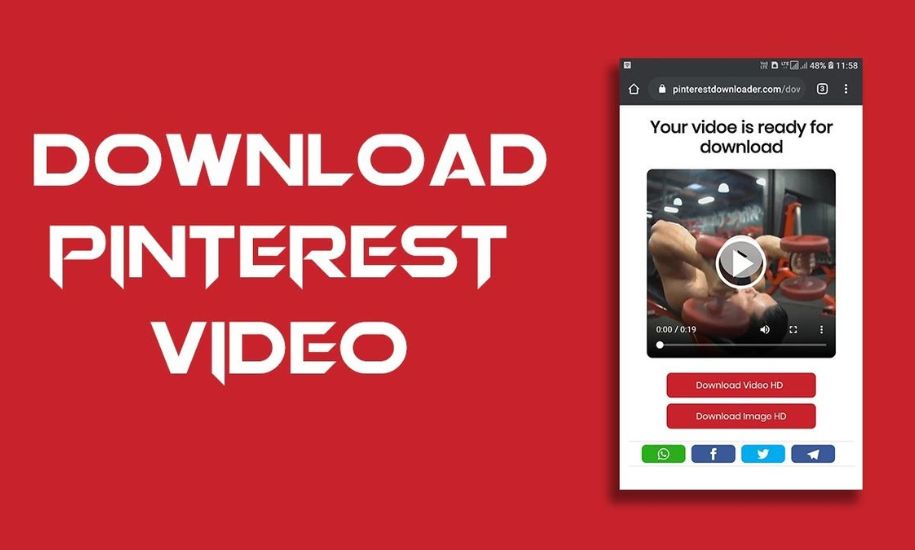
In the digital age, video has become the dominant form of content across the internet. From entertainment and education to marketing and social media, videos engage, inform, and inspire billions of users every day. However, despite the accessibility of streaming platforms like YouTube, Vimeo, Facebook, Instagram, and TikTok, not every viewer has consistent internet access or the ability to watch videos online anytime. This is where an online video downloader becomes invaluable.
An online video downloader is a tool or website that allows users to save streaming videos from the internet directly to their device—whether it’s a laptop, smartphone, or tablet. With just a URL, these tools let users download, store, and watch videos offline at their convenience. In this comprehensive article, we’ll explore what online video downloaders are, how they work, the benefits and risks involved, legal considerations, best practices, and the most popular downloader options available today.
1. What Is an Online Video Downloader?
An online video downloader is a web-based utility that enables users to download video content from the internet without the need for any special software installation. Typically, users paste a video’s URL from a platform such as YouTube, Facebook, Instagram, or TikTok, and the downloader processes the link to generate a downloadable file in various formats like MP4, WebM, or 3GP.
Unlike dedicated software that requires installation (such as 4K Video Downloader or Internet Download Manager), online downloaders operate directly through the browser. This makes them highly accessible, platform-independent, and convenient for quick use.
In essence, an online video downloader serves as a bridge between streaming content and offline accessibility — giving users full control over what they watch and when they watch it.
2. How Online Video Downloaders Work
While the interface of each tool varies, the basic process is similar across most platforms. Let’s break it down step by step:
Step 1: Copy the Video URL
Users first copy the link of the video they wish to download from platforms such as YouTube, Facebook, Twitter, or Instagram.
Step 2: Paste the Link
The URL is pasted into the downloader’s input field on the website.
Step 3: Process the Video
The downloader scans the URL and extracts the video’s metadata — title, available resolutions, formats, and download sources.
Step 4: Choose Format and Quality
Users can choose from several output options, typically including:
- MP4 (standard and HD)
- WebM
- 3GP (for lower quality or smaller file sizes)
- Audio-only formats like MP3 or M4A (for music or podcasts)
Step 5: Download
Once users select their preferred format, the downloader generates a link for direct downloading. In most cases, the video is saved locally within seconds.
No Installation Required
Online video downloaders run entirely in the browser, requiring no software installation or account registration. This makes them perfect for users who need a quick download without any technical setup.
3. Features of an Effective Online Video Downloader
When choosing an online video downloader, users should consider several key features that enhance usability and security:
a. Multi-Platform Support
A good downloader supports numerous websites — not just YouTube. Top-tier services work with Instagram, Vimeo, Twitter, Facebook, TikTok, Dailymotion, Reddit, and more.
b. High-Quality Downloads
The best tools offer multiple resolution options, from 144p for low bandwidth to 8K for high-end displays. Users can choose based on their storage and quality preferences.
c. Audio Extraction
Some online video downloaders provide audio-only extraction, allowing users to save songs, lectures, or podcasts directly as MP3 or AAC files.
d. Browser Compatibility
Cross-platform compatibility ensures the tool works on Chrome, Firefox, Safari, and mobile browsers without plugins or extensions.
e. Free and Unlimited Access
Many websites, such as SmallSEOTools or DupliChecker, provide unlimited free downloads without registration or watermarks.
f. User-Friendly Interface
Simplicity is key. A minimalist interface with a clear input field, visible download button, and quality selection enhances the user experience.
4. Benefits of Using Online Video Downloaders
1. Offline Accessibility
Perhaps the most obvious advantage is the ability to watch videos offline. Travelers, students, or users in areas with poor connectivity can store videos for later use.
2. Educational Use
Teachers, trainers, and students often use downloaders to save instructional videos, lectures, and documentaries for offline learning. It’s a valuable resource for remote education.
3. Entertainment on the Go
Music videos, movies, and comedy clips can be downloaded for leisure without worrying about buffering or limited data plans.
4. Content Archiving
Video downloaders allow users to save rare, old, or soon-to-be-deleted content from social media platforms. Researchers and journalists find this especially helpful for documentation purposes.
5. Convenience Across Devices
Since online downloaders are browser-based, they work seamlessly across all devices — PC, Mac, Android, or iOS — without requiring installation or software updates.
5. Legal and Ethical Considerations
While online video downloaders are extremely convenient, it’s crucial to address the legal and ethical implications of their use.
a. Copyright Laws
Most major video platforms, including YouTube, explicitly state in their Terms of Service that users are not allowed to download or reproduce content without permission, unless the download button is provided by the platform itself. Downloading copyrighted material for redistribution or commercial use can lead to legal consequences.
b. Fair Use and Personal Use
Downloading videos for personal use — such as offline viewing, education, or private study — usually falls under fair use. However, distributing or monetizing downloaded videos crosses into copyright infringement territory.
c. Respecting Content Creators
Ethically, it’s important to respect creators’ rights. Every view on streaming platforms contributes to their revenue. Downloading and sharing videos offline bypasses this system, so always consider the creator’s livelihood.
d. Security Risks
Some websites disguise malware as “free video downloaders.” Always use reputable platforms and avoid tools that prompt for unnecessary downloads or installations.
6. Risks and Drawbacks of Online Video Downloaders
1. Malware and Adware
Some downloaders may contain malicious scripts or redirect users to spammy websites. These can infect your device with unwanted software.
2. Pop-ups and Intrusive Ads
Free services often rely on advertising. Excessive pop-ups can lead to poor user experience or accidental clicks on unsafe links.
3. Format Limitations
Not all downloaders support every platform or file format. Some restrict downloads to specific sites or offer only low-resolution options.
4. Unstable Performance
Browser-based downloaders depend on the hosting site’s bandwidth and may experience downtime or limited functionality due to API changes.
5. Violation of Platform Policies
Using third-party tools to bypass streaming limitations can breach a website’s Terms of Service, potentially resulting in account suspension.
7. Popular Online Video Downloaders in 2025
Here’s a look at some of the most reliable and well-known online video downloaders available today:
1. SmallSEOTools Video Downloader
- Free and fast downloader supporting major platforms.
- Offers HD downloads and no installation needed.
- Great for personal and educational use.
2. DupliChecker Video Downloader
- Supports numerous sites including Facebook, TikTok, and YouTube.
- No sign-up, unlimited downloads, and easy interface.
3. SaveFrom.net
- One of the oldest and most popular online video downloaders.
- Offers browser extensions for quick downloading.
- Occasionally restricted by browser policies.
4. Y2Mate
- Well-known YouTube video downloader supporting MP4, MP3, 3GP.
- Simple and ad-supported.
5. SnapSave.io
- Specializes in high-definition Facebook and Instagram video downloads.
- Clean design and secure SSL connection.
6. ClipConverter.cc
- Allows format conversion during download (e.g., MP4 to MP3).
- Offers multiple resolutions up to 4K.
7. KeepVid.pro
- Multi-site support (over 1000 websites).
- Fast processing and reliable downloads.
8. 9xbuddy
- Popular for its ability to detect embedded video links from non-mainstream websites.
9. FlyDownloader
- Free, no registration, and high-speed download performance.
10. ScreenApp Video Downloader
- Designed for professionals and educators to save videos for offline training.
8. Best Practices for Safe and Ethical Use
If you plan to use an online video downloader, follow these best practices to ensure a secure and responsible experience:
1. Use Trusted Websites
Only use established, SSL-secured sites with good reputations (https:// in the URL).
2. Avoid Installing Unknown Software
Stick to browser-based tools. Avoid installers or .exe files unless from trusted sources.
3. Check Video Rights
Always verify if a video is copyright-free or allows downloads under a Creative Commons license.
4. Respect Privacy and Ownership
Never download or distribute private or sensitive content without permission.
5. Keep Antivirus Active
Ensure your antivirus software is running when using online downloaders to block malicious links or scripts.
6. Use Personal Downloads Only
Limit downloads to personal offline viewing. Avoid redistribution to protect yourself legally.
7. Regularly Clear Cache and History
Some downloaders store temporary files. Clearing them maintains privacy and storage space.
9. The Future of Online Video Downloading
As technology evolves, the demand for faster, safer, and more versatile video downloaders will continue to grow. Newer tools are integrating AI-driven features, allowing automatic subtitle downloads, format conversion, and batch downloading.
Moreover, with the rise of 4K and 8K content, downloaders are optimizing compression algorithms to maintain quality while minimizing file size. There’s also a strong shift toward mobile-first design, catering to users who primarily consume and store videos on smartphones.
Legal compliance will become even more crucial. Developers are expected to create solutions that respect copyright restrictions while providing users with legitimate offline access — such as YouTube Premium’s “Download” feature.
10. Conclusion
The world of digital media revolves around accessibility and flexibility, and online video downloaders play a vital role in enabling that. Whether you’re an educator preserving valuable lectures, a traveler seeking offline entertainment, or a researcher archiving social media content, these tools bridge the gap between streaming and storage.
However, with great convenience comes responsibility. Always respect copyright laws, use downloaders ethically, and prioritize security by choosing trusted platforms.
Online video downloaders will continue to evolve, offering smarter, faster, and safer experiences for users worldwide. As we adapt to an increasingly connected yet bandwidth-conscious world, tools like these will remain essential companions for digital consumption — provided they’re used wisely and responsibly.
This article is published by Buz Vista, your trusted source for digital tools, tech insights, and content creation trends.
1. What is an online video downloader?
An online video downloader is a web-based tool that allows you to save streaming videos from platforms like YouTube, Facebook, or Instagram directly to your device for offline viewing. It usually works by pasting the video’s URL into a website that processes the link and offers download options in different formats and qualities.
2. Are online video downloaders free to use?
Yes, most online video downloaders are completely free. Many sites offer unlimited downloads without registration. However, some premium versions may provide faster speeds, ad-free experiences, or additional features like format conversion.
3. Is it legal to download videos from YouTube or other platforms?
Downloading videos for personal offline use is generally acceptable, but downloading copyrighted content without permission can violate the terms of service of those platforms and copyright laws. Always make sure the video is copyright-free or that the creator allows downloading.
4. Can I use online video downloaders on my phone?
Yes. Most modern downloaders are browser-based and optimized for mobile devices. You can use them directly on Android or iOS through browsers like Chrome or Safari — no app installation needed.
5. Which are the best online video downloaders in 2025?
Some of the most popular and reliable options include:
- SmallSEOTools Video Downloader
- DupliChecker Video Downloader
- SnapSave.io
- Y2Mate
- ClipConverter.cc
- FlyDownloader
Each supports multiple websites and formats.
6. Can I download videos in HD or 4K quality?
Yes, many advanced video downloaders allow you to download videos in HD (720p, 1080p) or even 4K and 8K quality — depending on the original video’s resolution and availability.
7. Do I need to install any software to use an online video downloader?
No installation is required. These are online tools that run entirely in your web browser. You simply paste the video link and download — no extra software needed.
8. Are online video downloaders safe?
Reputable sites are generally safe, but some lesser-known ones may contain pop-ups or malware. Always use trusted, SSL-secured websites and keep your antivirus software active while downloading.
9. Can I download private or restricted videos?
No. Most online video downloaders only support publicly accessible content. Downloading private or restricted videos without permission can violate privacy and copyright laws.
10. Can I convert downloaded videos into other formats like MP3?
Yes. Many downloaders include a built-in converter that lets you extract audio or change formats (e.g., from MP4 to MP3 or 3GP). This is especially useful for music videos, podcasts, or lectures.
11. Why can’t I download some videos?
Some websites use encrypted or protected streaming technology to prevent downloads. In such cases, the downloader may not be able to access or process the video link. Try another site or use official download options where available.
12. Is using an online video downloader ethical?
It depends on how it’s used. Downloading for personal use is generally acceptable, but sharing, reposting, or monetizing downloaded content without permission is unethical and may be illegal.
13. Do online video downloaders keep copies of my videos?
Most trustworthy downloaders do not store your downloaded videos or links. They process the content temporarily to generate your download link, then automatically delete it from their servers.
14. What is the difference between an online and a software-based video downloader?
- Online downloader: Works in the browser, no installation needed, quick and simple.
- Software downloader: Requires installation but offers advanced features like bulk downloads, playlists, and higher speed.
15. Can I use online video downloaders for educational purposes?
Yes. Teachers, students, and researchers often use them to save lectures, tutorials, and documentaries for offline study — provided they respect copyright and use them ethically.